When I say I’m a tech enthusiast I mean I am more than someone who just wants the latest and greatest technology. Anyone can buy the most powerful, expensive tech available at any given time and say “Yeah I’m a bit of a tech guy”. Understand tech is knowing how to shape systems into how your brain works. Some people want a dumb phone so they can stay focused on their desktop, some will get a phone with the fastest processor and use it almost exclusively for their business, some people get an iPad and make it into the center of their tech stack. Some need windows, some need mac, so many needed for each person. Me, I enjoy finding pieces of technology that inspire me. An interesting form factor, a new type of technology, endless customization options. These are all things that I look for when purchasing tech and adding it to my team. However I can’t just play around with some tech that I can’t continue my pursuit of learning and productivity. It needs to be useful and play a role. In this post I have collected my opinions on several pieces of tech I have used over the years and how my brain works to determine whether it can keep a place in my team, or get cut.
Cut from the team
Macbook 2020
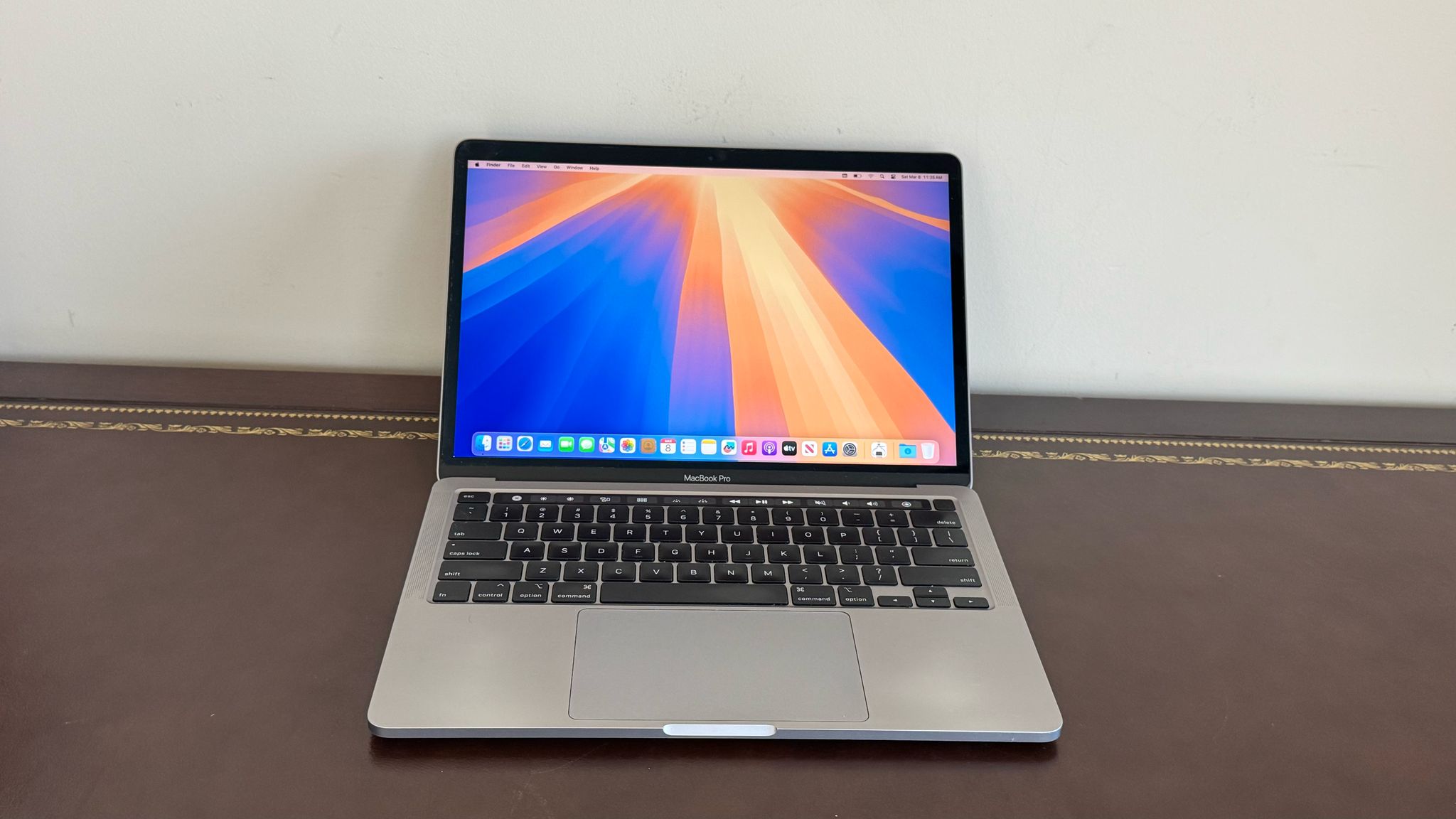
MacBook Pro 2020
During lock down I decided I wanted a powerful laptop. I wanted something to continue my person products, something that was sleek and well made, and something I know I could use for years to come. I found it in the newest macbook pro. I was so excited to get my hands on it and loved learning about MacOS and making it a device I enjoyed coding on. My desktop was windows for gaming, and all my coding/tech work took place on this device. Well imagine my shock when my laptop became immediately obsolete. Not 4 months later, Apple comes out with the M1 macbook. Such a large shift in the hardware, my Intel Mac was left out to dry. I found that by 2021 as other iterations of custom silicon chips left my computer so slow near the end that I could barely use it. This mac also had a ridiculous “feature” where the USB C port could do power, it could do connection to an external monitor, but it couldn’t do both. I had to buy this dongle specifically to take up two of my 4 ports just to get a docking experience that was usable. This was my first and last attempt at buying a brand new laptop. My timing was about as bad as it could be.
iBuyPower
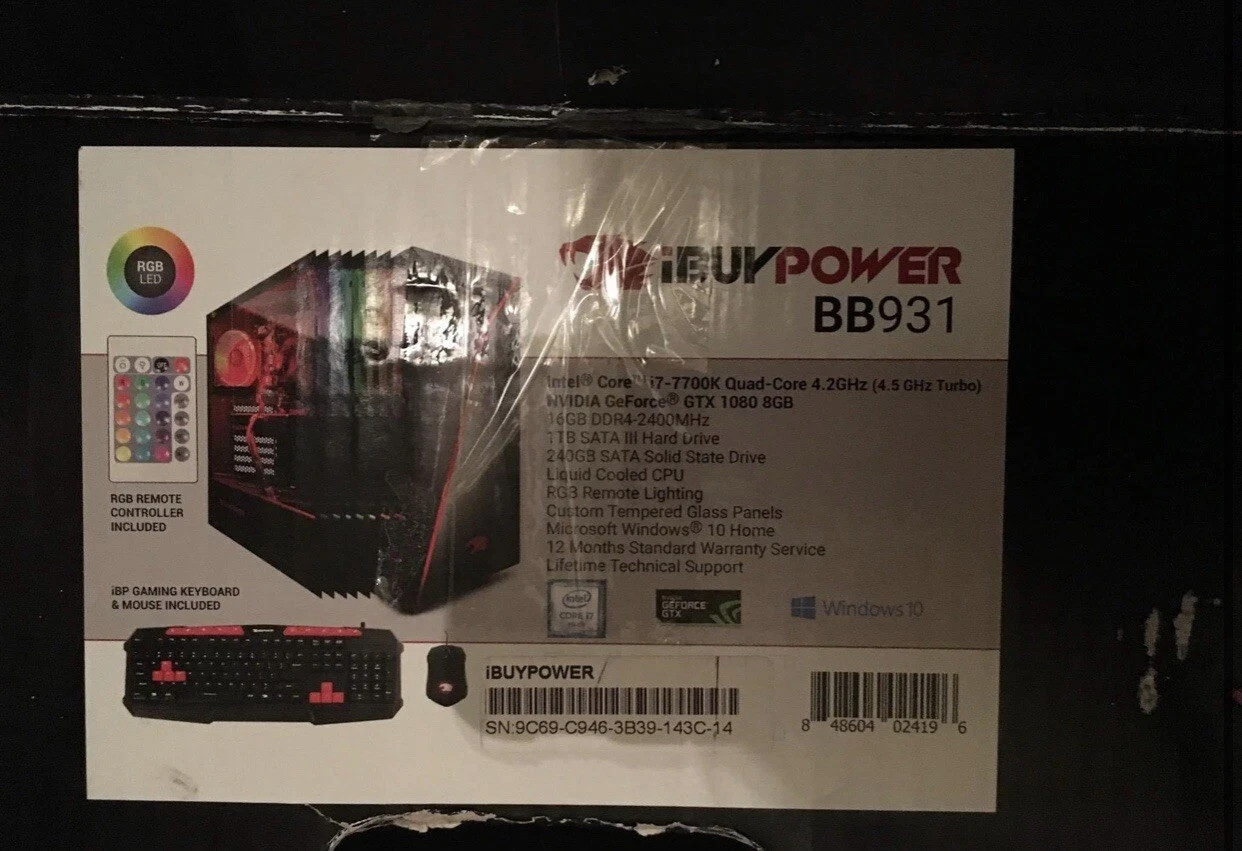
iBuyPower prebuilt desktop
My desktop was my first purchase with my post college job paycheck. I didn’t have the confidence in my abilities to build computers at this point in time, so I did what any self respecting nerd would do. I went to best buy and got the best one I could afford. The CPU, RAM, Storage, Graphics card, it was all hieroglyphs to me. With that being said, I couldn’t have asked for more serviceable PC to get me into the hobby. Intel Core i7, 1080 (not TI unfortunately), plenty of storage space, and of course RGB. I played countless hours of games on this PC, was able to run anything I needed to, and all in all it lasted me from 2017 to 2024. It did its job, and did it well. When I finally sold off the i7 and 1080 to help finance my first build, I felt a sense of sadness. As I sit here typing this a part of me still wishes I kept the GPU and mounted it, letting it retire with honor. I hope whoever bought it got some good performance out of it.
Surface Go
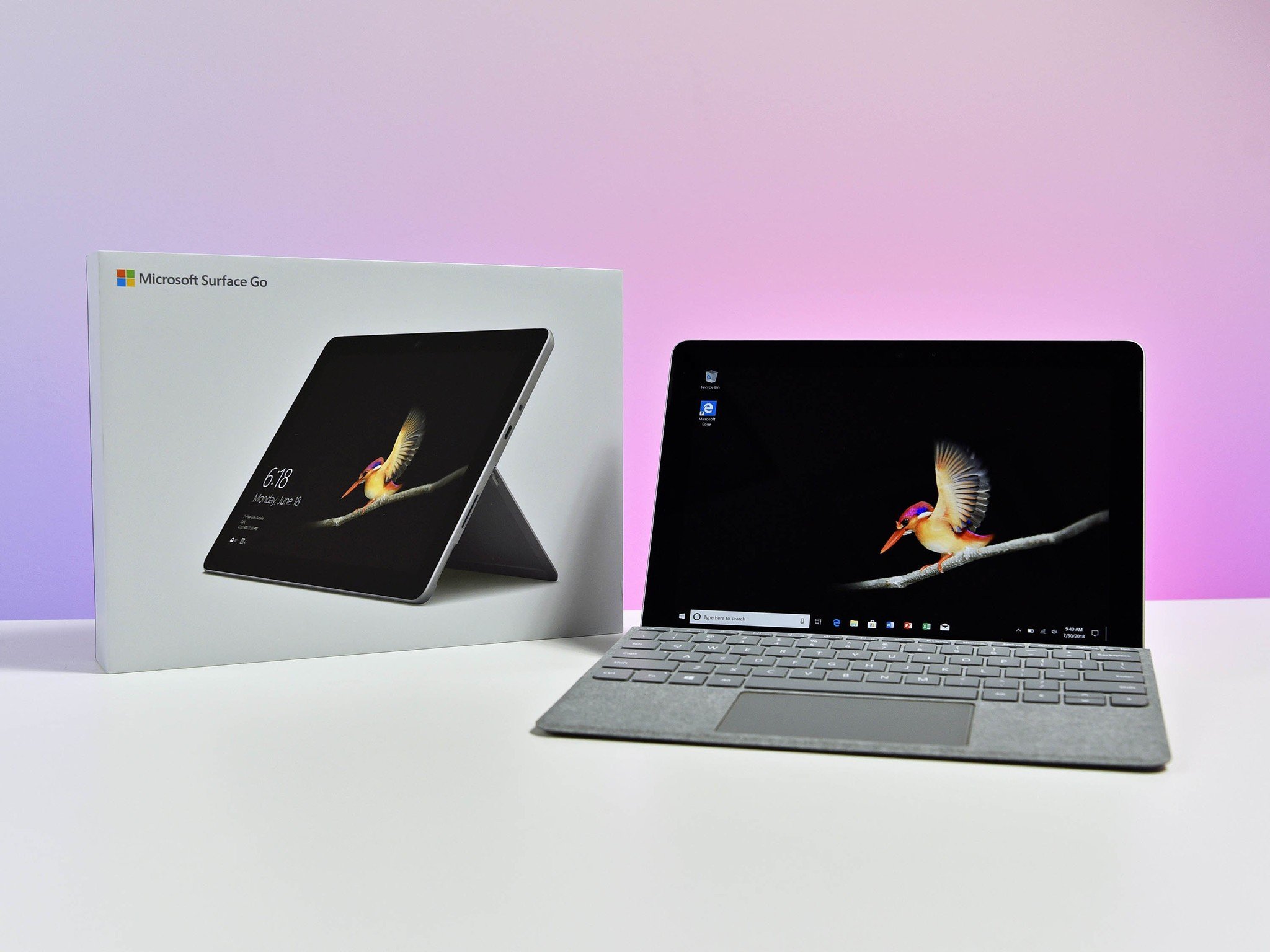
Microsoft Surface Go
After a particularly successful trip to the great city of Atlantic City, I wanted to buy something for myself. Here I believe was my first attempt at creating a “team”. I could have bought some generic laptop, but this model really caught my eye. This form factor was so interesting to me, a wonderful tiny screen with stylus support and a keyboard cover that actually felt nice to type on. I could see myself working in a coffee shop, scribbling notes as I went along. Unfortunately the technology was just too early on. Windows 10 on a processor like this just wasn’t meant to be, even having a browser and notes app open at the same time would grind everything to a halt. Recently I found a video of someone attempting to put Linux on it and it seemed like a fun experiment to run if I still had it laying around. While the user experience of this device was not great, it is the first time I found myself looking at tech for not just it’s power but how I could use it.
Thinkpad X220 T
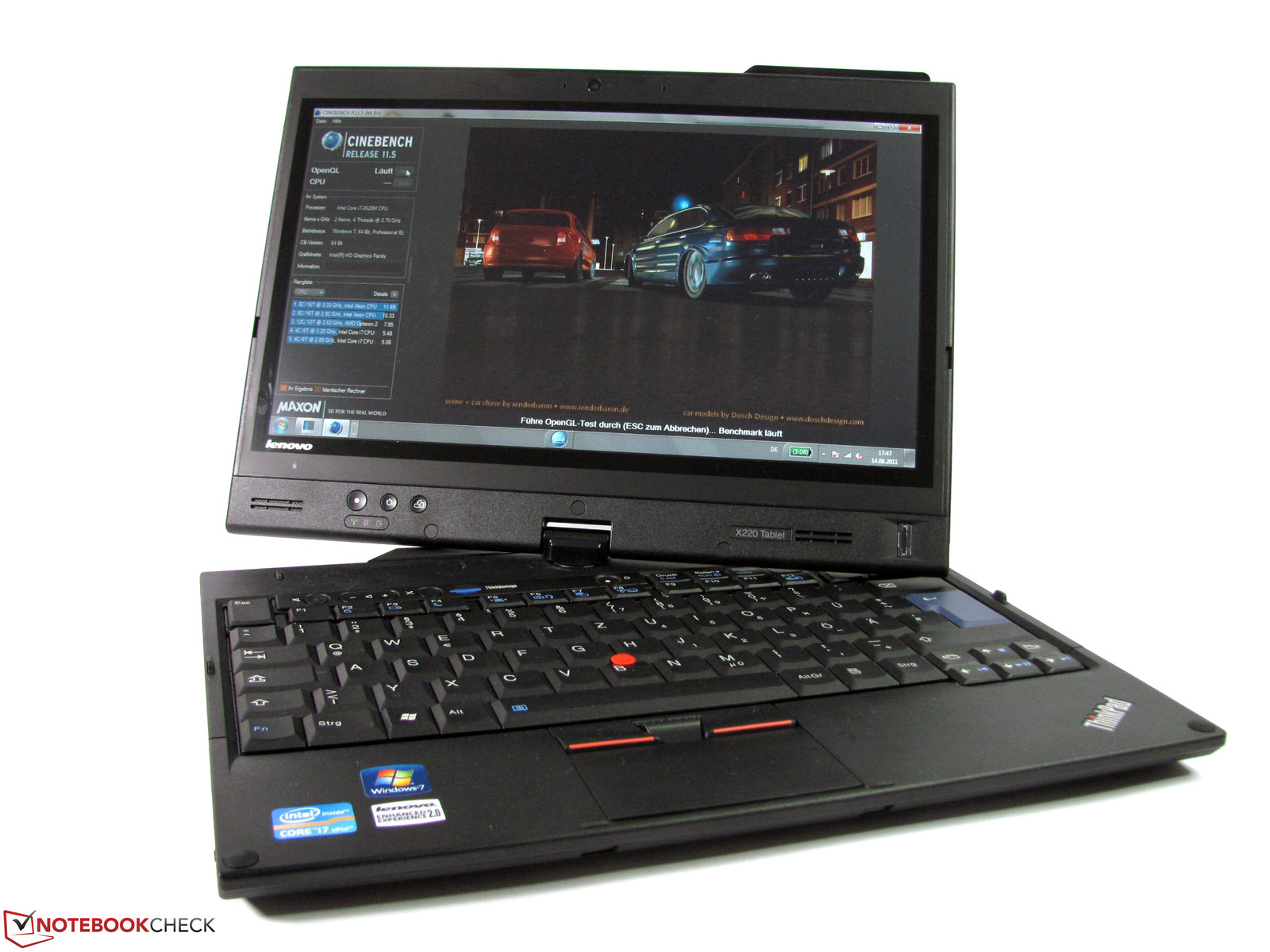
Thinkpad X220
I still think about this laptop often. For 100 dollars you had: still the best keyboard I’ve ever used on a laptop, the ability to upgrade/repair every piece of the system with minimal cost, a built in stylus that wrote really well, a device that I could learn to use linux on and avoid all the overhead of trying to run new windows. I loved this computer, I got it before the craze of purchasing old thinkpads and upgrading them. The hype is real. Sadly, I encountered an issue where the computer would become disconnected from the battery and shut off when even a small shift would happen. This is probably a knock on effect of me taking it apart and putting it back together again so many times creating some kind of short, but I could not fix it. I sold it for the same amount I spent, and I was better for it.
A1 Mini (Still on the team)
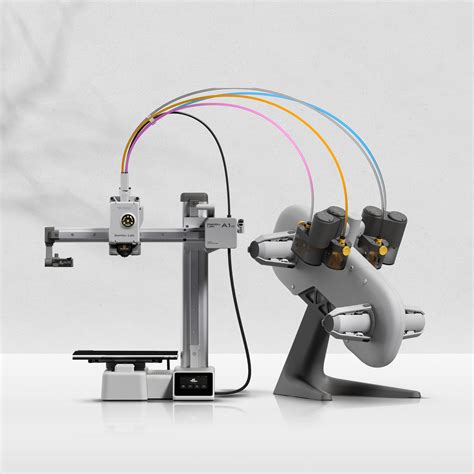
Bambu Lab A1 Mini with AMS unit
Okay the A1 is still on the team but I’m not happy about it. With Bambu’s recent practices when it comes to the 3d printing community, I will never buy one of their products directly from them again. This machine was a great introduction to 3d printing, but the size is so limiting and I found the AMS bundle with it mostly not needed. I had no idea of the waste that was created with multi filament prints. I still use this product almost everyday, but I do not have it connected to the Bambu app. It lives in a local mode where I have it connected to OrcaSlicer for all of my prints. I hope to one day get a bigger printer and move away from the company, but right now I can’t justify getting a new one when this really is such a user friendly device. As I teach myself CAD/Blender to gain the ability to not just print other designs but create my own, I feel then I will be able to justify moving on from it.
Current Starters
Archie
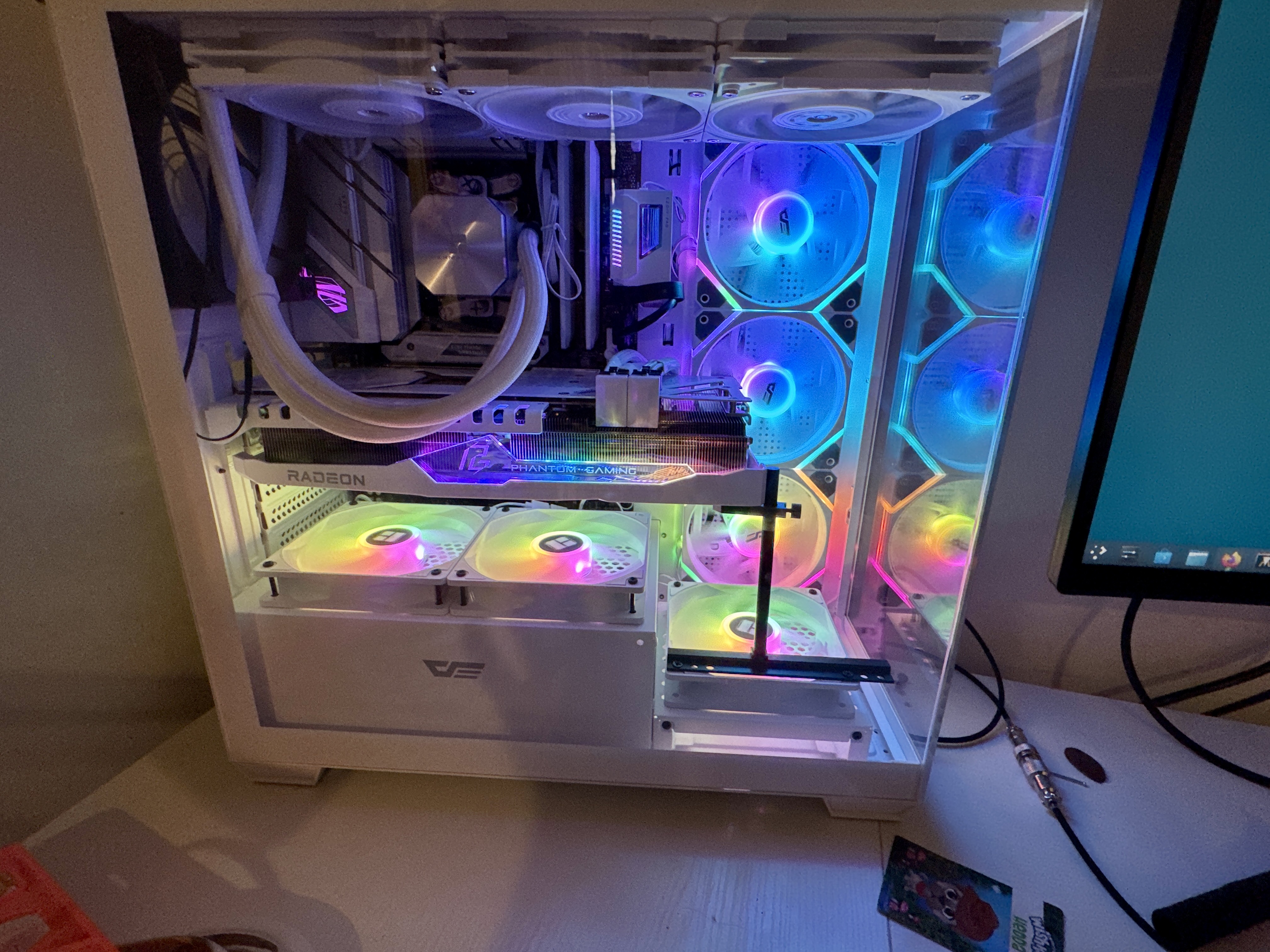
Archie, the main desktop build
My first PC build of many in the future and I went all out. AMD Ryzen 7 7800X3D, RX 7900 XT graphics card, 32 GB of DDR 5 ram (Thank god I did this in 2024 and not today). This machine has never run Windows. After messing with Linux on my iBuyPower for several years I made a pledge to myself that if I was going to build this monster I will dive in completely. With my powerful GPU I have started exploring the world of AI models, self hosting my own LLM’s and learning more about how to work with AI to increase my productivity. I am consistently tinkering with my operating system, learning about the linux ecosystem and how to make a computer tailored for me and me alone. My ability to game at the highest settings has improved my leisure time and made me have experiences I could’ve only dreamed about on my previous PC. Archie is the beating heart at the center of my set up.
Macbook Air
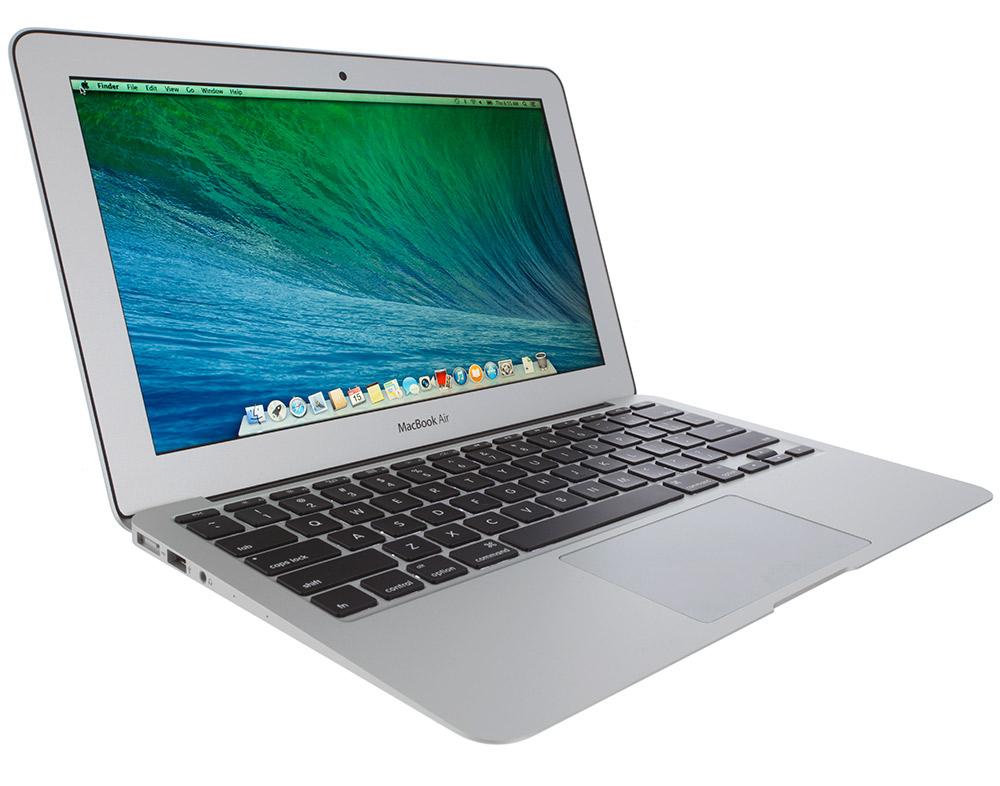
2015 MacBook Air, 11-inch
Wait didn’t I say I was done with macbooks? No I am done with NEW macbooks. This is the smallest macbook they ever produced, 11 inches. Its screen size is that of the Surface Go from before. It could no longer run any iteration of modern Apple operating systems, but yet again I have made the most out of it by putting linux on it. I found myself learning alot about boot systems as pains around Apple’s non standard EFI and firmware has lead to countless troubleshooting sessions. This computer has lead to a lot of instances of a full reinstall however, the proprietary drivers needed to get the wifi working have come back time and again to ruin my installs. But this computer is for a change of pace, for when I’m away from my house. Log into my local VPN and tinker away in the terminal. A battery swap has lead it to having a perfectly adequate 3-4 hours away from the wall.
Boox Note Air2
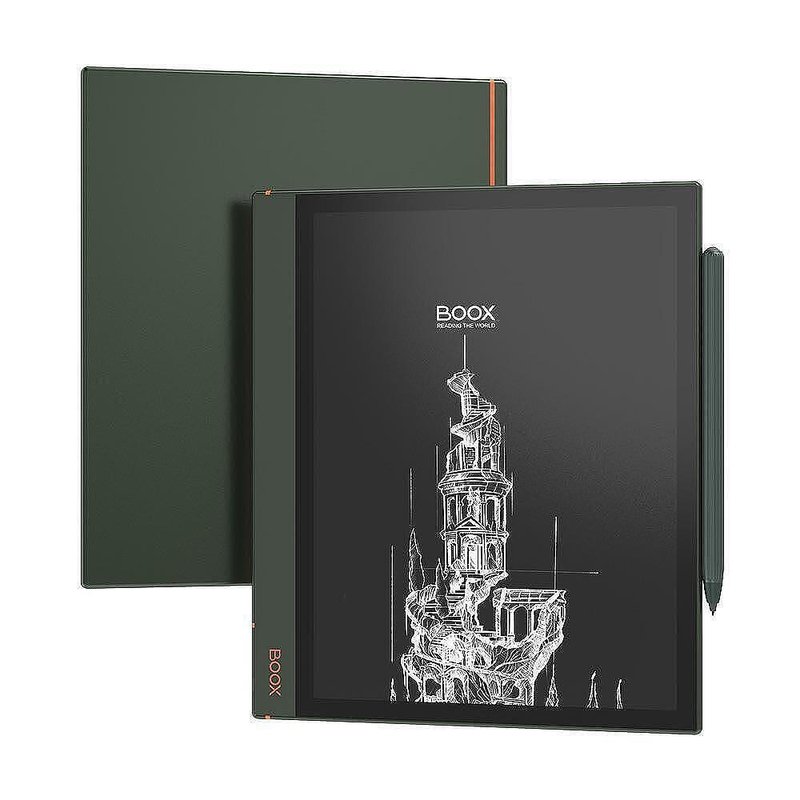
Boox Note Air2 e-ink tablet
Do NOT try to understand how Boox comes up with names for their devices, it will never make sense. This is an android based EInk tablet. I have found myself greatly enjoying EInk in the past few years, such a nice way to continue interacting with a device without the eye strain of a screen and being usable in more scenarios. I have used this tablet at the beach, on a car ride, at a park, in my backyard in my hammock. It can do it all as well as needing to be charged once per month if even that. I use it to take notes, currently I am reading the Rust Programming Language book. Taking side by side notes as I moved through chapter. It is also an incredible way to read Manga which I have made an effort to get into in the past year. My only wish is that I could figure out how to root it so I can have full access to put whatever I want on it. I have tried but failed many times, but one day it will happen!
XTEink4
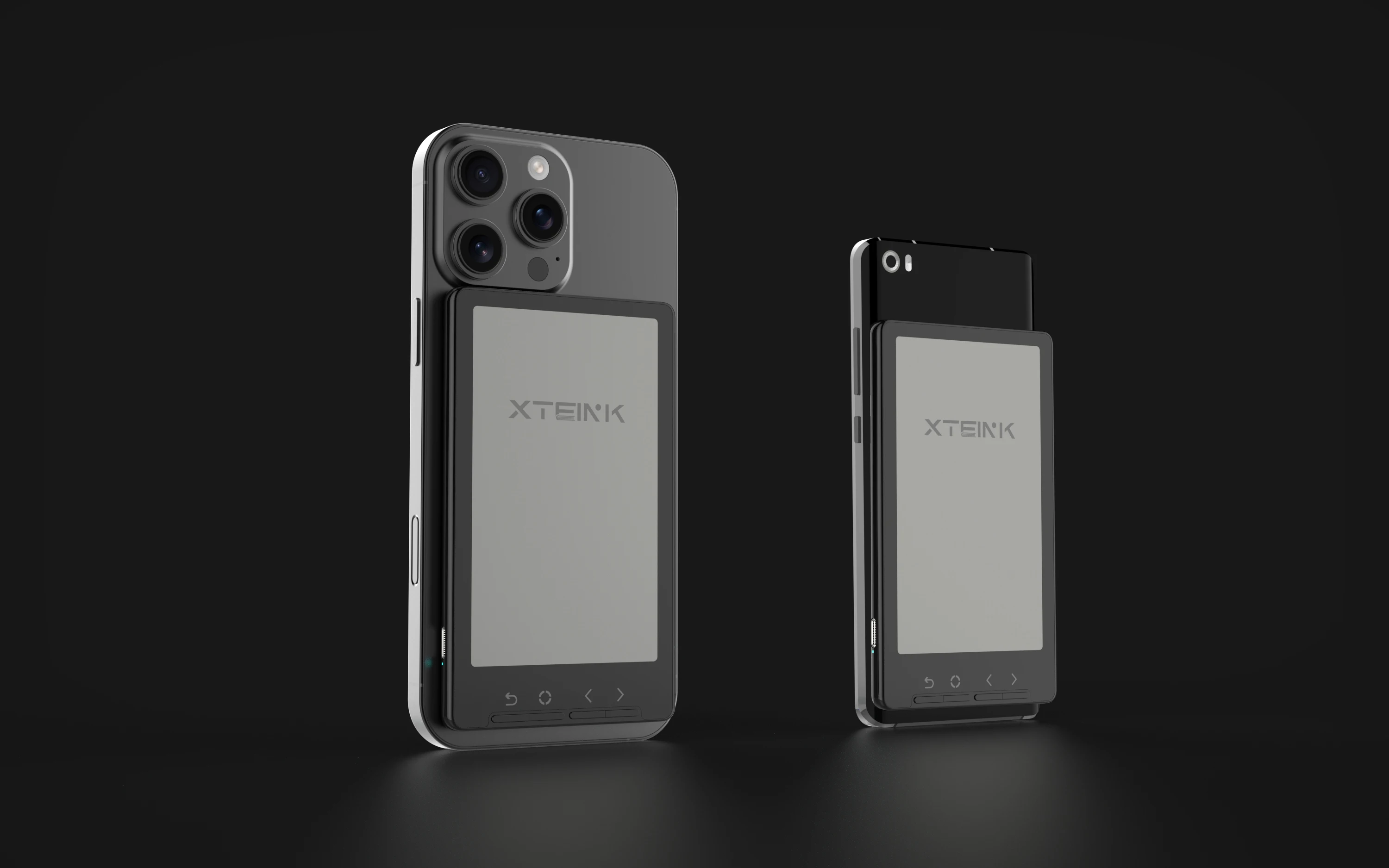
XTEink4 mini e-reader
Speaking of my love of EInk, the newest addition to my team is this mini ereader the has gotten a lot of buzz online. The XTEink4 is a magsafe compatible mini ereader that offer a very unique ability to replace scrolling on your phone with ebooks. In addition to that, the open source community have already created a new better operating system to flash on it called CrossPoint. This allows for remote addition of new books via wifi, custom backgrounds, and even custom font installs. I found myself not being able to read books on my Boox, maybe just the larger screen was intimidating to my brain. Keeping this small reader on my person has lead me to being able for the first time consistently read a book (Currently Atomic Habits by James Clear). Updates are being made to CrossPoint every day, which will only further make the device a joy to use.
Steam Deck
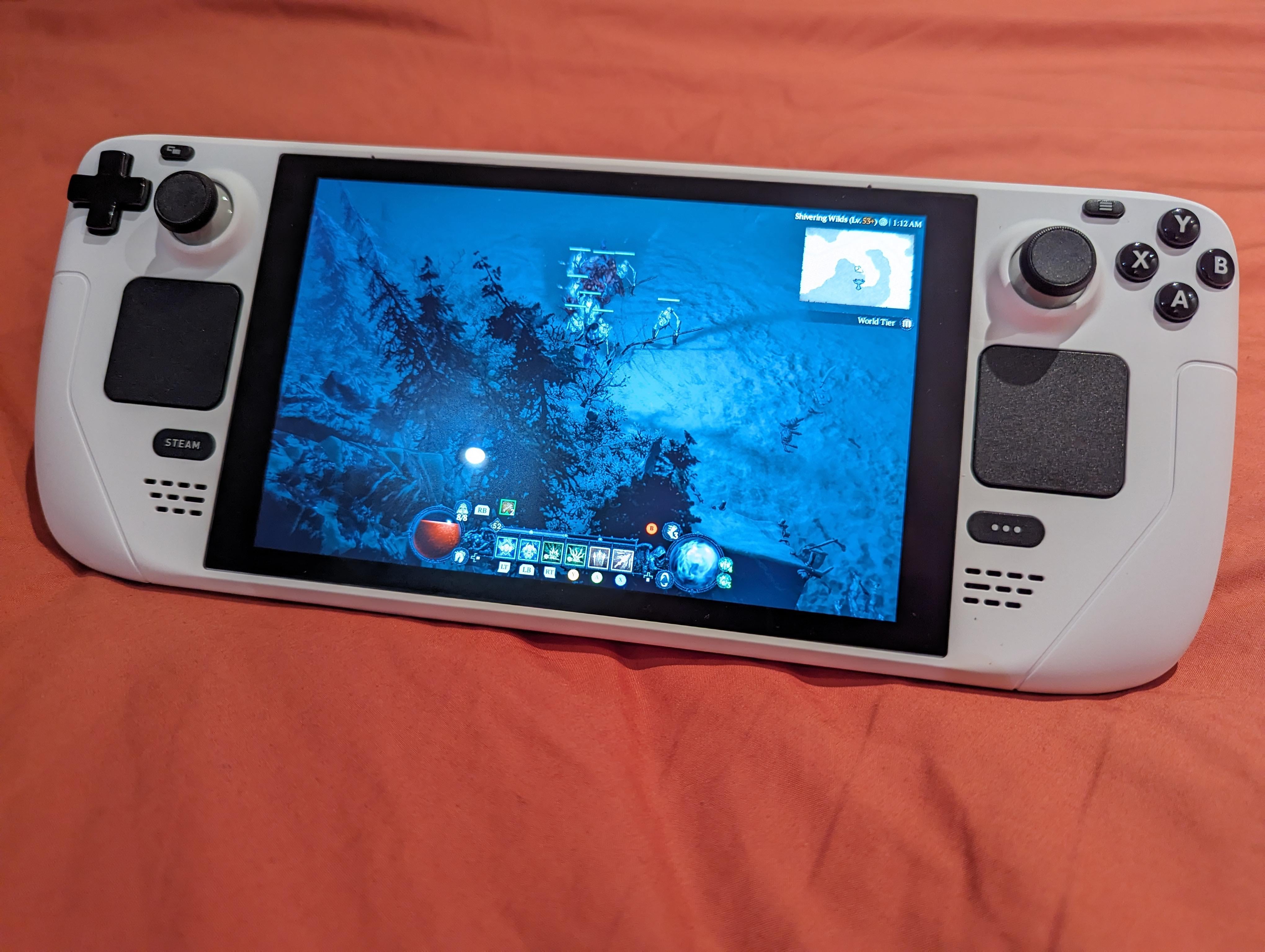
Steam Deck with shell swap
Last but not least, my steam deck has changed the way I interact with gaming which is one of my favorite hobbies. The flexibility of having a handheld Linux device has made this a swiss army knife for any gaming scenario. I have used it connected to my CRT monitor for retro PS1 gaming, I have brought it to a friends house for old school PS2 game night, I can play most of my 200 steam titles on the go, and it can even be a pretty good PC docked in a pinch. On top of all that I was able to do a shell swap mod with it that has made more way more comfortable with tech repairs I do in the future. What valve has been able to do with gaming on Linux has enabled me to free myself from Windows in any way shape and form and the Steam Deck is a huge piece of that puzzle.